

How can we help?

Find answers to your Plan to Eat questions including getting started, features, and common issues.

Recipe Book (Website)

View Recipe History (Website)

View how many times a recipe has been planned and when.

Last updated on 27 Jan, 2026

Recipe History shows you when and how many times a recipe has appeared in your meal plan.

How to view a recipe’s history:

  1. Open a recipe card.

  2. Below the recipe image, find the "times planned" link.

  3. Click on the link to view all dates the recipe appears on your calendar, along with a preview of the planned date.

  4. Click the View in Planner button to jump to that date on your calendar.
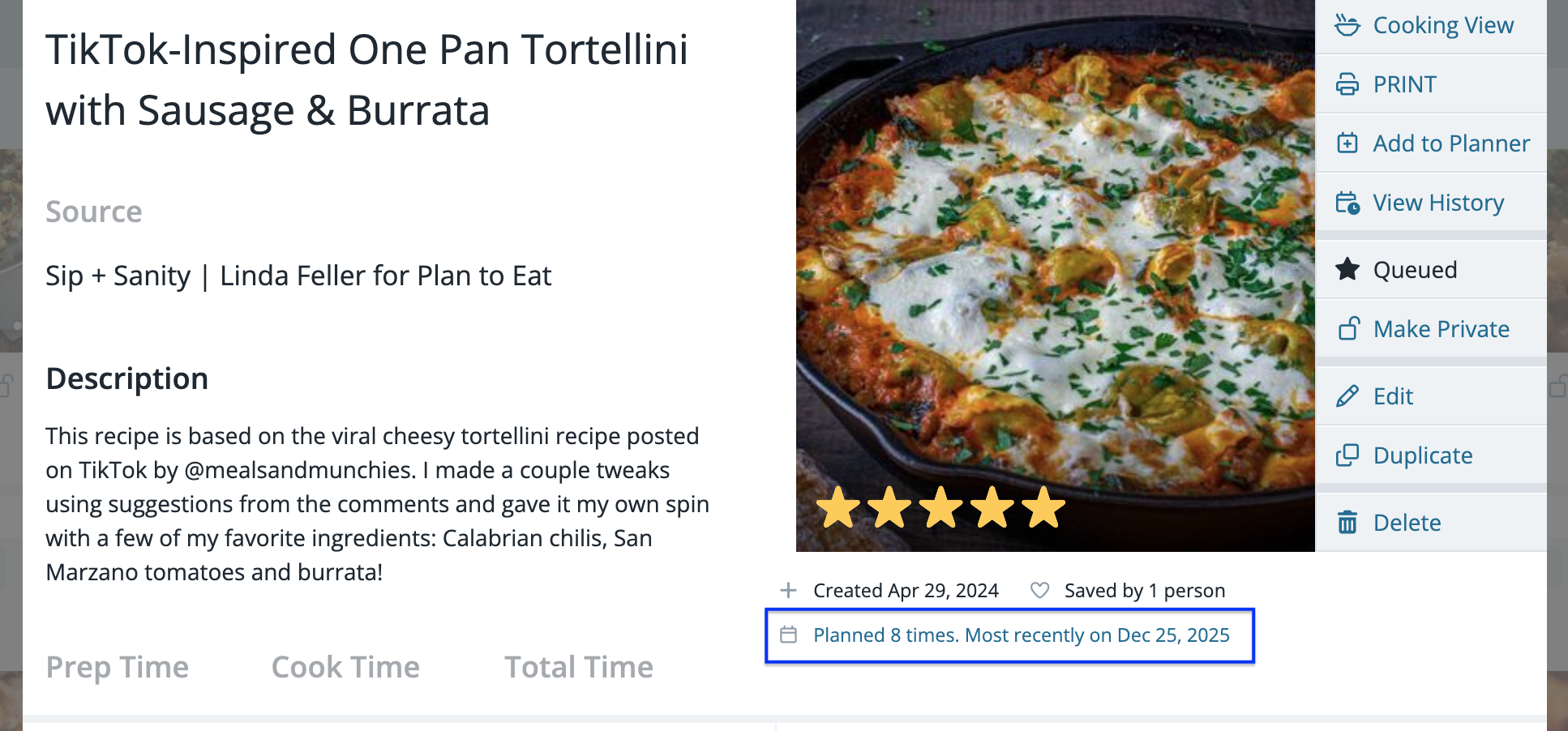
Screenshot 2026-01-27 at 10.04.45 AM.png

Did you find this article helpful?
Previous

Linking Recipes within Plan to Eat (Website)

Next