
Annual gift subscriptions are $49 USD/year and never expire. You can send one to anyone, whether or not they already have a Plan to Eat account.
Purchasing a gift subscription
Purchase a gift subscription here. As you fill in the recipient's info, you'll see a live email preview on the right showing exactly what they'll receive.
Optional settings at checkout:
Delay delivery — Check "Send welcome email to me, not my friend" to receive the gift email yourself. You can forward it to the recipient whenever you're ready.
Share your recipes — Check "Automatically share my (non-private) recipes with my friend" to share your recipe collection when the gift is redeemed. Learn more about recipe sharing.
Set up auto-renewal — Check "Automatically renew this gift each year" to keep the subscription going. You can turn this on or off anytime from your account.
Gifts bought before Nov 2024 cannot be switched to auto-renew.
ℹ️ The recipient's subscription won't start until they click the link to redeem it, regardless of when you purchase.
Recurring gift subscriptions
When purchasing a gift, check the box labeled "Automatically renew this gift each year" to set it up as a recurring gift.
Givers can turn auto-renew on or off at any time from their Account page under gift management.
Recipients can see who gave them the subscription, when it next renews, and switch billing to their own card whenever they like on their website Account page.
How renewal billing works:
- For recurring gifts, you (the giver) are charged $49 each year on the gift's anniversary; your recipient is never charged. When each renewal goes through, you get a receipt, and your friend gets a renewal notice.
- When you update your card on your Account page, all of your active recurring gifts automatically move to the new card; no need to update each one. If a gift renewal recently failed, we retry it on your new card automatically.
- If we can't charge your card for a gift renewal, we'll email you to update it. Your friend keeps access during a 14-day grace period. If it still hasn't gone through after that, the gift's auto-renewal is canceled.
- You can turn off auto-renewal anytime from your Account page. The gift stays active through the year you've already paid for - your friend keeps access until the end of that period - but it won't renew again.
- If your friend already has a subscription, the gift is added to the end of their current subscription. If your friend later starts paying for their own subscription, they take over, and your recurring gift stops billing you.
Buying gifts in bulk
Need to purchase multiple gift subscriptions at once? Use the Bulk Purchase tab on the gift page. Enter the number of gifts you'd like, then distribute the redemption links to recipients later.
Bulk discounts:
25–99 gifts = 20% off
100+ gifts = 30% off
You can also opt in to automatically share your recipes with all bulk gift recipients at checkout. After purchasing, you'll receive an email confirmation with your total.
Managing purchased gift subscriptions
From the Account page on the website, you can view and manage all gifts you've purchased. Gifts are organized into two tabs:
Purchased
Gifts that haven't been redeemed yet. For each gift you'll see:
The email address the gift was sent to
A mail icon to resend the gift to the current email address or update to a new address
The redemption link (useful if you need to share it manually)
If you want to auto-friend the recipient
If the gift is set for auto-renewal or not
The purchase date and price
Redeemed
Gifts that have been activated by the recipient. For each gift you'll see:
The recipient's email address
The date the gift was redeemed
The gift account's expiration date
If the gift is set for auto-renewal
Redeeming a gift subscription
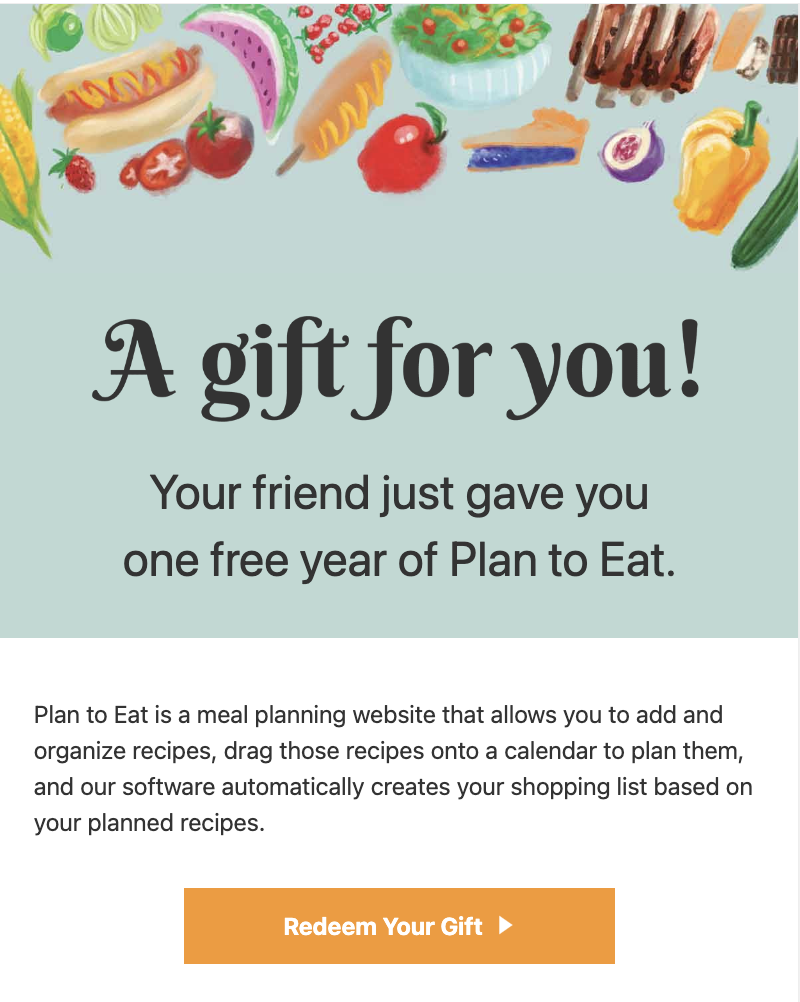
Recipients simply click Redeem Your Gift in the gift email they receive. They'll either be prompted to log in or create an account, and the gift will be applied automatically.
If the giver selected "Send welcome email to me, not my friend," the recipient won't receive the email automatically. The giver will need to forward it.
If the recipient already has an active subscription, the gift is added on at the end of their current subscription - they don't need to wait for it to expire first.
New to Plan to Eat? You'll start with a free 14-day trial. Your gifted subscription automatically kicks in at the end of the trial.
FAQ
Can I buy a gift now and send it later?
Yes. Check "Send welcome email to me, not my friend" at checkout. The gift email will come to you, and you can forward it to the recipient whenever the time is right.
Does my friend need to wait until their current subscription ends before redeeming?
No. They can redeem right away. The gift subscription will be added to the end of their current subscription.
Why does it say I'm starting a 14-day trial when I try to activate my gift?
That's expected! When you're new to Plan to Eat, you start with a free 14-day trial, even if you received a gift. Your gifted subscription will automatically activate at the end of that trial period.